


Love is in the air (of chocolate!), and so is the excitement of planning your February crochet projects! Embrace the season of love and cute little hearts, chocolate and everything pink with these Valentine’s Day-themed printable crochet project planner pages.
These pdf format crochet journal pages are designed to add a touch of whimsy, fun and organization to your crochet journey and they are all yours with just a simple click of your mouse.
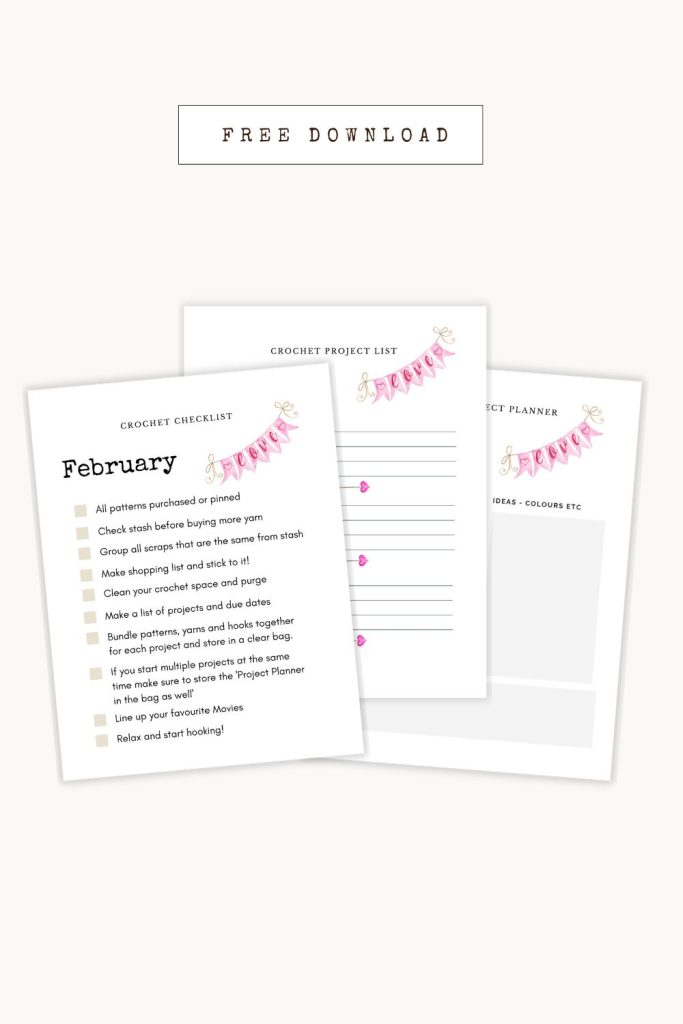
These crochet planners and checklists that are absolutely free, and require no email sign-ups (caution-you are going to want to sign-up after you see all the fun stuff i have), or any other strings attached. Just click and download.
As a crochet lover myself, I know how frustrating it can be to keep track of all your, WIPs, and new project ideas. That’s why I created these planners and checklists to help keep us all on track and stress-free.
So, grab a cup of your favourite sparkly drink, and let’s get ready to get organized together!
Crochet Checklist
Are you ever knee-deep in a Valentine’s Day crochet project only to realize you’re missing a crucial supply or tool? Or do you find yourself on a crochet-related shopping spree, only to forget what you actually needed?
The Valentine’s Crochet Checklist is the perfect tool to keep track of all the items you need for your next love-inspired crochet project.
Whether it’s checking your yarn stash, making a shopping list for heartwarming materials, or lining up romantic movies to watch while you crochet, this checklist will ensure you don’t forget a single thing.
With this handy tool at your fingertips, you’ll be able to breeze through your Valentine’s Day crochet projects with ease, leaving you more time for the fun things you love! 💖
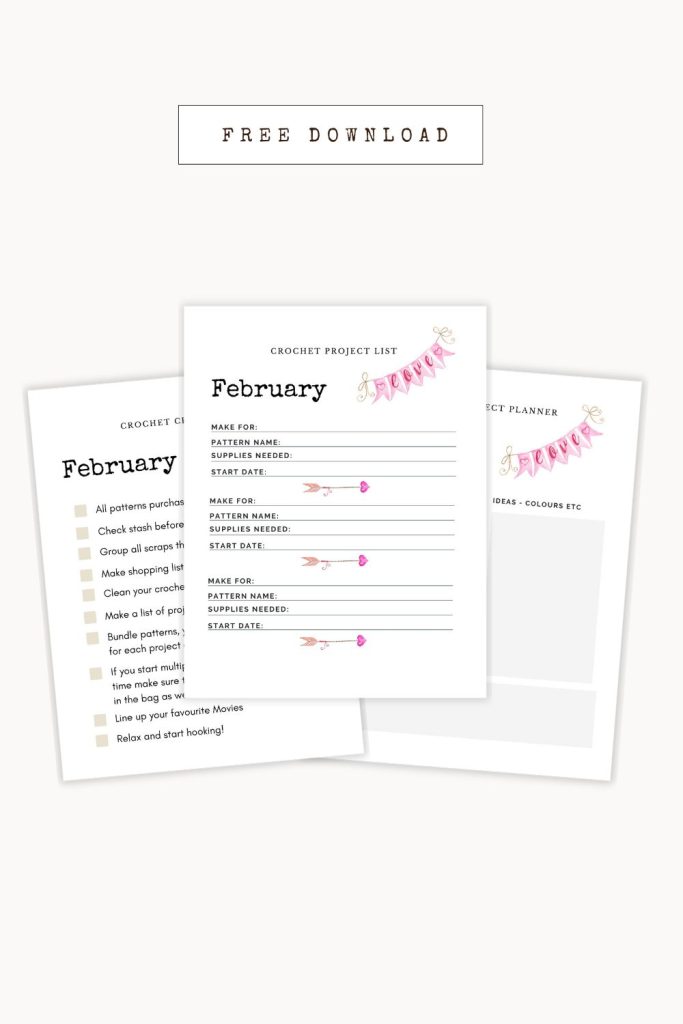
Crochet Project List
To help you organize and materialize your creative aspirations, I’ve compiled a special Valentine’s Day crochet project list tailored just for this heartfelt occasion.
This curated list enables you to note down patterns, yarn selections, and essential supplies for your February crochet projects.
Whether you’re inclined towards crafting cozy blankets and scarves or charming crochet dishcloths and adorable accessories, this list will allow you to swiftly glimpse at your planned projects for the month ahead.
So, settle into a snug corner of your home, savour your favourite cup of tea, and let the crochet magic begin! Utilize this project list to strategize, create, and triumph over all your Valentine’s Day crochet aspirations throughout the month of February!
Crochet Project Printable Planner
If you’re someone who adores delving into the intricacies of your Valentine’s Day crochet creations, then my February crochet project list is the perfect companion for you!
Crafted with care, this list is tailored to assist you in meticulously tracking every detail of your project, from the size of the hook you’re using to the count of completed rows. It’s the ideal way to maintain order and concentration as you pour your heart into a special Valentine’s Day project.
Feel free to use it as a canvas for jotting down notes about any adjustments or delightful changes you make along the journey.
Whether you’re a seasoned crocheter with a heart full of experience or just embarking on this lovely journey, this project list is a precious asset that will guide you in creating charming and one-of-a-kind Valentine’s Day crochet projects effortlessly!
Free Crochet Patterns For Valentine’s Day
I hope you found these Valentine’s Day-themed crochet planners and checklists as helpful as I do! Organizing your crochet projects has never been so easy and stress-free. And the best part? They’re absolutely free and require no email sign-ups or downloads.
So, don’t hesitate to share this post with your fellow crochet enthusiasts on social media and tag me @prettydarnadorable. I can’t wait to see what amazing creations you’ll come up with using these planners and checklists. Keep on crocheting, my friends!
How to download and print the pdf
- Click on the link to the PDF. A new window should pop up with the document.
- In the upper right corner of the new window, click on the download icon (the downward arrow). The PDF will now download onto your computer.
- Once it has downloaded, open up the document. Depending on what program you have to open PDFs, you may have to double-click on it or right-click and then select “Open with…”
- Once open, go to File in the top left corner of your screen and click Print (or press Command + P on a Mac).
- Select your printer and make sure you are using the correct paper size.
- On the left side, under Page Sizing and Handling, click on Fit to Printable Area.
- Make sure that Scale to Fit is checked and click on Print.
